




Although WhatsApp has been owned by Facebook, Inc. (now called Meta Platforms, Inc.) since 2014, it has largely operated at an autonomous level as a chat messaging app and as a company. Evidence of this can be seen in how long the company took to start monetizing the platform, and even those initiatives are relatively recent and still in their nascent stage. Take that slow action to the extreme and what you have is the current scenario: there’s still no official way to transfer WhatsApp from Android to iPhone. Moreover, even the existing method, which piggybacks on the Samsung SmartSwitch app to execute a WhatsApp transfer from iPhone to Android, only covers a small percentage of smartphones on the market – just the Samsung ones that support SmartSwitch.
Are There Any Working Alternatives to Do a WhatsApp Android to iPhone Transfer?
Software companies have been trying to crack this problem for years now, and a few have walked away with success. However, one company stands out amidst the flock as a pioneer in mobile data management: Wondershare Technology Co. Ltd. The Wondershare MobileTrans desktop and mobile applications offer a seamless and totally comprehensive way to move all WhatsApp data freely between iOS and Android devices as well as Mac and Windows environments. This article takes a closer look at the user-friendly processes of these two standout solutions to do WhatsApp transfers. Let’s look at an example of how to do a WhatsApp Android to iPhone transfer.
Desktop Method: MobileTrans – WhatsApp Transfer for Windows and Mac
This method utilizes a PC or Mac as a go-between to resolve the Android-iOS conflict. A computer is used to back up the WhatsApp data from your Android phone, transform it into a version that’s compatible with iOS, and then restore that backup to an iPhone. It sounds simple, and users will certainly think so, but a tremendous amount of research and development resources have gone into the back end to execute the transfer in a flawless manner. The process speaks for itself:
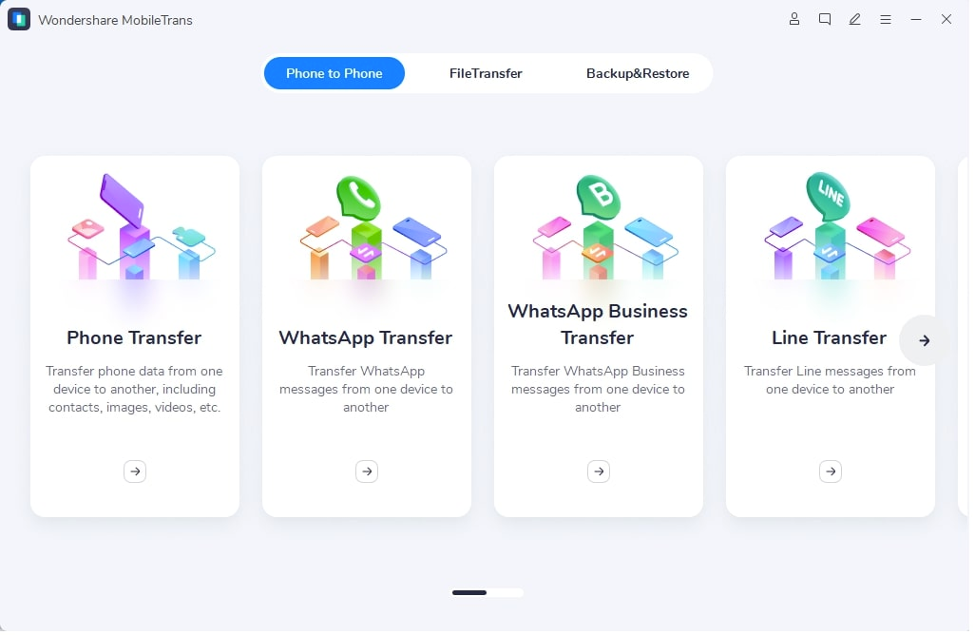
- Install the appropriate version of MobileTrans on your PC or macOS computer, launch the application, and choose WhatsApp Transfer from the home screen options
- You can now connect the two devices to separate USB ports on your computer using their respective charging cables – using the original cables is recommended
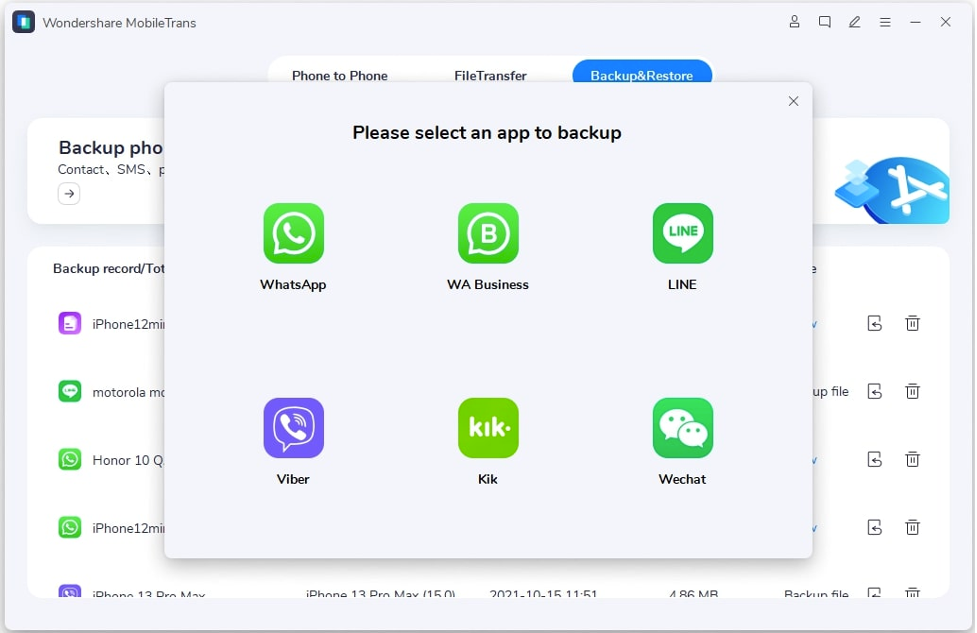
- On your computer, select WhatsApp and look at the position of your devices as represented on the screen – the source phone, which is the Android one, should be on the left, so use the Flip button if you need to bring it there – the other phone will be your target iPhone
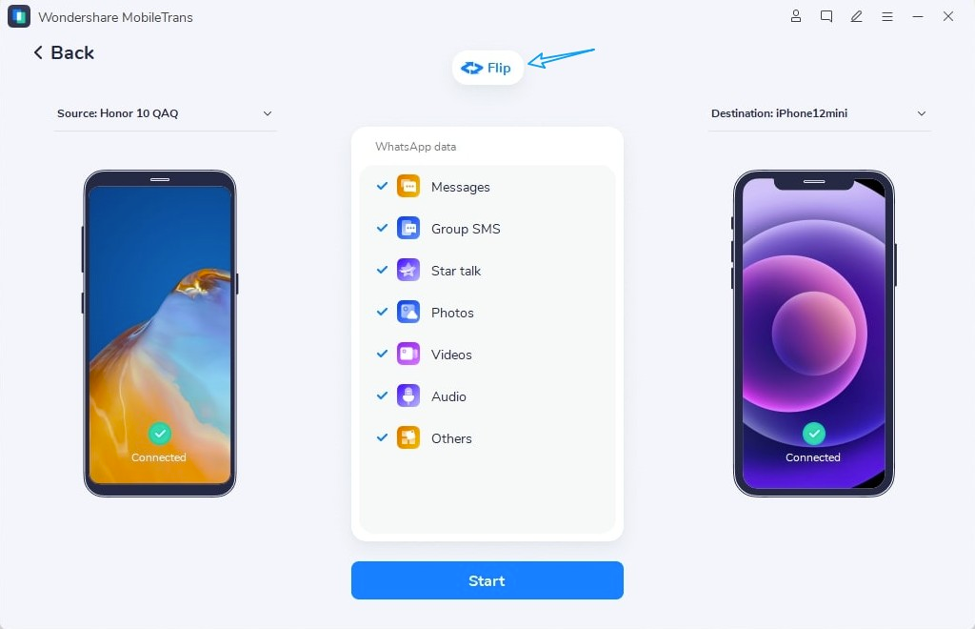
- Hit Start to begin the transfer process – if you need to, you can exclude some types of WhatsApp data from the transfer by deselecting them on the list in the middle of your screen
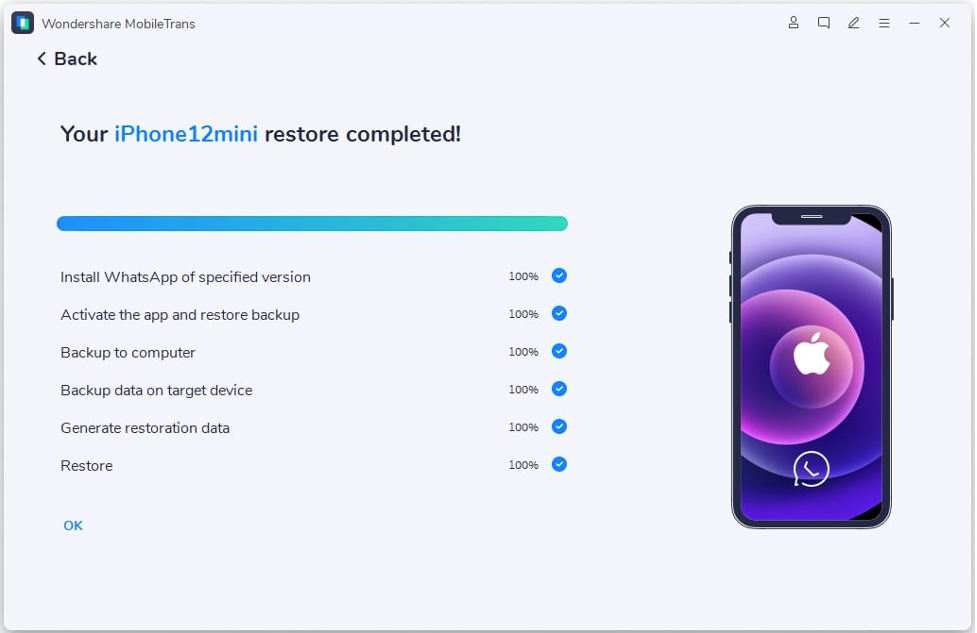
- Wait until the transfer is complete, and eject and unplug the devices after you see the success message
As you can see, it’s straightforward and painless, and your data will be completely transferred 100% with no data loss whatsoever.
Next, let’s look at the mobile version of this versatile app.
Mobile Version: MobileTrans for Mobile
This Android app can be used to do WhatsApp Transfer in an efficient manner without using a PC. Of course, this does have some disadvantages such as not being able to take a copy of your backup on a computer, but the advantage is that it only takes one connecting cable to get started. If you have a Lightning-to-USB-C or a connecting cable with an OTG adapter, you can do this in just a few minutes.
- Install the app on both devices and launch them
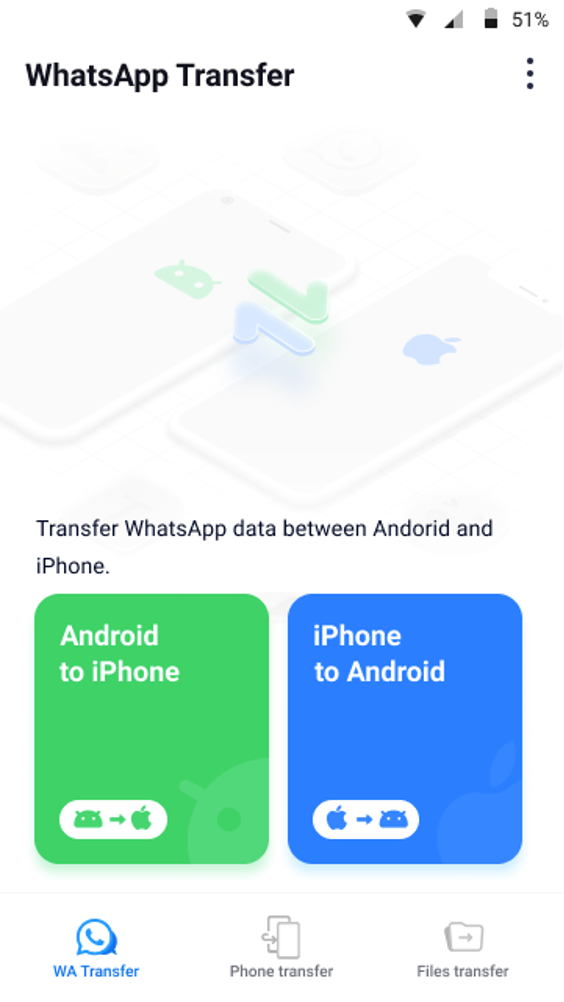
- Choose Android to iPhone as the transfer direction and log in to WhatsApp on your new device
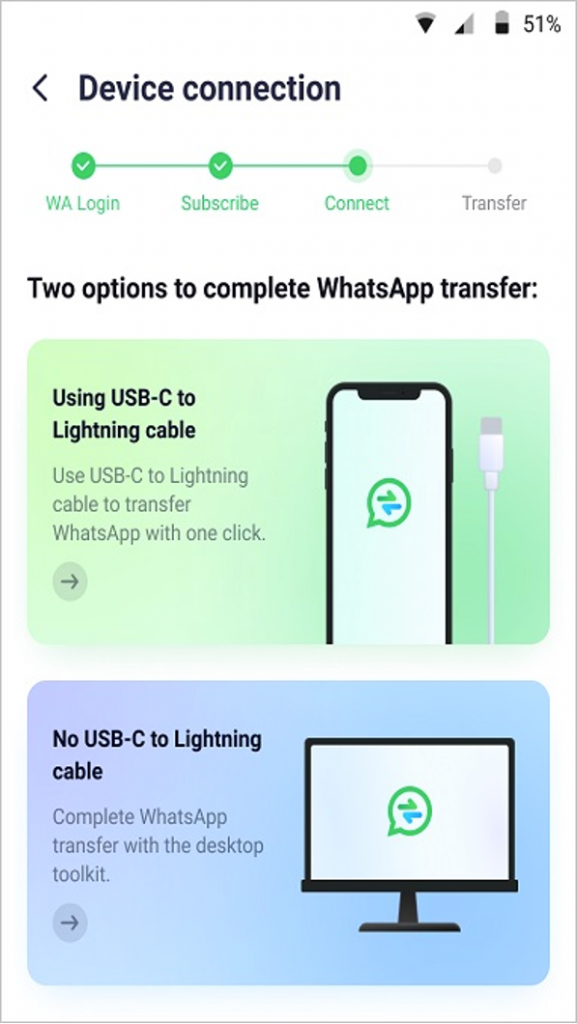
- Connect the devices using the cable and OTG adapter and initiate the transfer by following on-screen instructions – you will be able to scan a QR code so the devices identify each other and give the necessary permissions
- When the transfer is complete, disconnect the devices and access your old WhatsApp data on your iPhone
Equally simple and equally elegant – a solution to a perplexing problem for anyone switching from Android to iPhone and vice versa.
Conclusion
Considering that Android and iOS are by far the two most popular mobile operating systems in the world, it might come as a surprise to many that there’s still no official way to do this easily. However, you’ll realize that when you decide to move to another OS but you don’t want to lose any of your chat data from WhatsApp and other platforms. The existing methods are either non-existent or just make-shift solutions. But now that Wondershare MobileTrans is available, users can confidently move to a different phone without the fear of leaving any of their WhatsApp chats, calls, media, and files behind on their old phones.