





Intro: Give the Answer First
Product videos have become one of the most important content formats for ecommerce brands, creators, and marketers. Whether used on Amazon listings, social media campaigns, landing pages, or product pages, video increasingly influences how customers discover and evaluate products.
But creating polished product videos has traditionally required multiple tools, editing skills, and significant production time. Today, AI-powered workflows are changing that process.
For creators and teams looking to streamline production, Wondershare Filmora provides a practical workflow for building professional-looking product videos with AI tools, built-in templates, and creative resources.
- Key takeaway:
Wondershare Filmora helps simplify product video creation by reducing repetitive editing work and accelerating creative workflows.
What Makes a Product Video Look Professional?
Many creators assume professional-quality videos depend primarily on expensive cameras.
In practice, editing often plays a larger role.
Professional product videos commonly include:
- Clean pacing
- Dynamic captions
- Smooth transitions
- Visual consistency
- Background music
- Product highlights
- Branded visual elements
The challenge for beginners is not recording footage—it is transforming raw footage into content that feels polished.
This is where AI editing tools become useful.
Why Wondershare Filmora Works Well for Product Video Creation
Creating a professional-looking product video is often less about recording footage and more about what happens after filming. Smooth pacing, clean audio, visual consistency, and branding all shape how audiences perceive a product.
For creators and small teams, Wondershare Filmora helps simplify those steps by combining beginner-friendly editing tools with built-in creative resources and AI-assisted workflows.
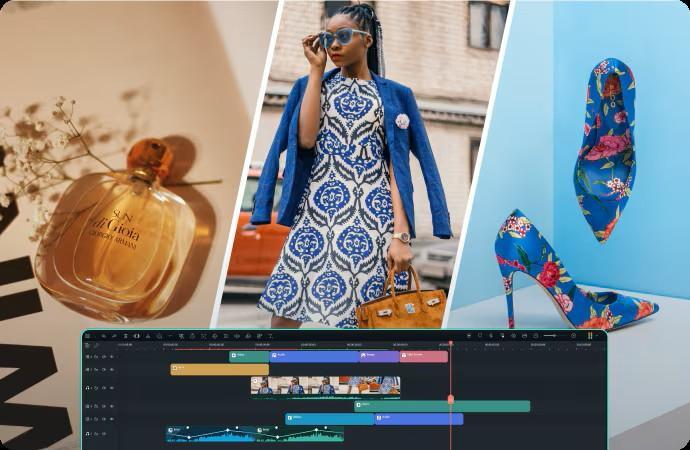
- Easy editing that reduces production friction
Many product videos require repetitive editing tasks such as arranging clips, trimming scenes, and selecting the strongest product angles.
Instead of creating a complex workflow, Wondershare Filmora uses a drag-and-drop editing environment that makes content organization easier for beginners and marketing teams.
Users can quickly trim and split clips to highlight product details, demonstrations, and key selling points without needing advanced editing experience.
- Audio tools that help products feel more polished
Audio quality often shapes perceived video quality more than many creators expect.
Wondershare Filmora includes audio enhancement tools, royalty-free music libraries, and voiceover recording capabilities that help creators build more engaging product presentations.
Whether explaining product features or creating lifestyle-focused videos, audio elements can strengthen storytelling and improve viewer attention.
- Dynamic visuals help products stand out
Professional product videos frequently use movement and visual variation to keep viewers engaged.
Filmora includes:
- transitions
- filters
- motion elements
- animated graphics
These tools help transform static product footage into more dynamic content suitable for ecommerce pages and social media campaigns.
- Key insight:
Wondershare Filmora gives beginners access to creator-style visual effects without requiring advanced editing workflows.
- Branding consistency matters
Product videos often serve multiple purposes across websites, ads, marketplaces, and social channels.
Maintaining consistent visual identity becomes important.
Wondershare Filmora supports branding workflows through logo placement, watermark tools, motion graphics, and color correction features.
This helps creators maintain a more cohesive visual identity across campaigns.
- Key takeaway:
Wondershare Filmora helps teams create product videos that feel more polished, visually consistent, and production-ready.
How to Create Professional Product Videos Step by Step
Step 1: Capture product footage
Record your product from multiple angles and include:
- close-ups
- product demonstrations
- lifestyle shots
- usage examples
The goal is to capture enough footage to tell a visual story.
Step 2: Import footage into Wondershare Filmora
Import clips and organize content inside your editing timeline.
Use templates and built-in layouts to accelerate setup.
Step 3: Use AI-assisted tools
Apply features such as Auto Caption, AI Text-Based Editing, or Smart Short Clips to reduce repetitive editing work.
This helps simplify production while improving how AI is transforming everyday workflows.
Step 4: Add branding and visual polish
Customize videos using transitions, titles, effects, music, and product-focused creative elements.
Optimize formats for ecommerce platforms, social media, or paid advertising.
Step 5: Export for multiple channels
Product videos often require multiple formats.
Resize and prepare content for:
YouTube, TikTok, Instagram Reels, ecommerce listings, website pages, and digital advertising campaigns.
- Key takeaway:
Wondershare Filmora helps teams turn raw product footage into publish-ready marketing content more efficiently.
FAQ
- What is the best way to create product videos?
The process usually includes recording product footage, editing visuals, adding branding elements, and optimizing for publishing platforms.
- Do product videos require professional editing skills?
Not necessarily. AI-powered tools and templates increasingly help beginners create polished videos with less manual work.
- What makes a product video look professional?
Professional product videos often use strong pacing, captions, transitions, music, and visual consistency.
- Can Wondershare Filmora create ecommerce videos?
Yes. Wondershare Filmora supports workflows suitable for product demos, ecommerce videos, social ads, and promotional content.
- Can AI speed up product video creation?
Yes. AI-assisted editing can automate repetitive tasks and reduce production time.
Final Thoughts
Professional product videos no longer require complex editing workflows or large production teams.
As AI-assisted editing becomes more common, creators and marketers increasingly use automation to reduce friction and improve content efficiency.
For users looking to create product videos more efficiently, Wondershare Filmora offers a practical balance between AI assistance, creative flexibility, and beginner accessibility.