




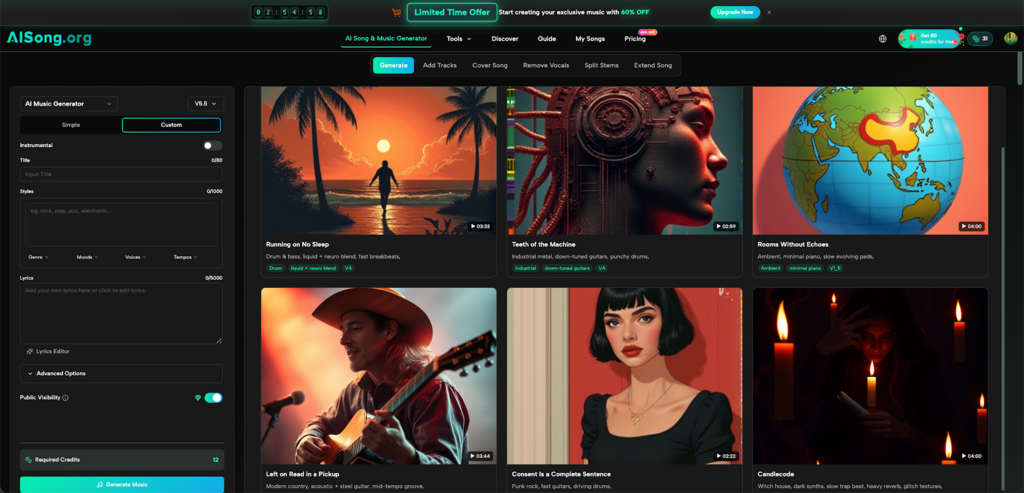
Getting a good track out of a generative audio engine requires more than just typing a basic feeling. A vague prompt often creates a vague tune. Beginners tend to use short, unstructured ideas, hoping the system will guess the rest. This approach rarely works well because the engine lacks the necessary context to build a cohesive structure. To generate audio that actually sounds intentional, the instructions need a defined shape, specific genre tags, and clear mood indicators. This is where AI Song becomes incredibly useful. By combining intuitive input fields with advanced audio processing, it gives creators a direct way to turn simple text into complete, professional compositions without needing prior musical experience.
I. Why Vague Prompts Create Messy Audio
A lot of first attempts fail for the exact same reason: the text does not give the engine enough solid information to work with. If the prompt only says “happy tune,” the output could be an upbeat pop track, a jazz sequence, or a classical piano piece. There is no clear direction for the composition to follow.
An effective AI Song Maker relies on specific parameters to build a cohesive sound. It needs to know the exact style, the core instruments involved, and the overall rhythm. Without these details, the system pieces together average patterns that lack a distinct personality.
When the description is highly specific, the audio aligns much better with the original vision. Instead of a generic prompt, adding details about musical patterns, harmonies, and rhythms helps the engine focus on a singular aesthetic. This level of detail transforms a random generation into a tailored creation.
II. The Core Elements of a Strong Prompt
A useful prompt acts as a short creative brief. It should always include a defined genre, a specific mood, and the type of instrumentation expected. For example, instead of writing “sad audio,” a much stronger approach is describing “melancholic jazz for rainy days.”
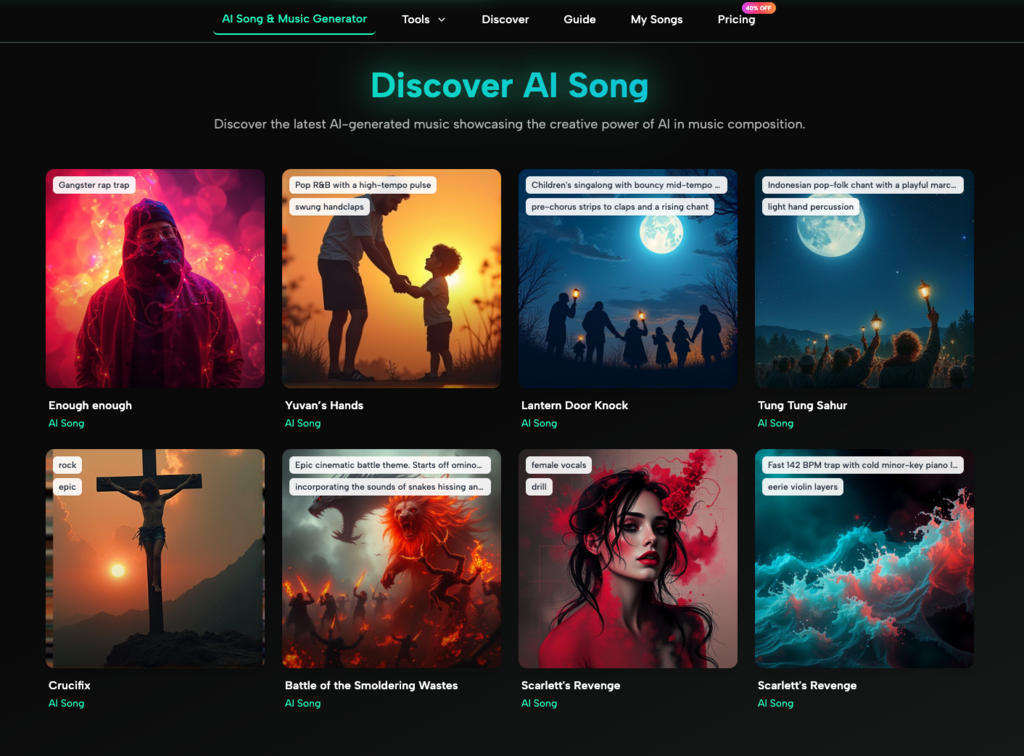
The AI Song Generator processes these detailed inputs effortlessly to create original melodies and rhythms. It supports over thirty different genres, ranging from electronic and pop to classical. Naming the exact genre right at the beginning of the text gives the track a solid foundation to build upon.
It also helps to specify cultural styles and languages. Because the tool features global language support, the prompt can specify regional music preferences from around the globe. Mentioning whether the track should feature particular cultural elements prevents the engine from making the wrong stylistic assumption.
III. Choosing the Right Generation Mode
Using the correct interface mode is just as important as the text itself. The interface offers different paths depending on how much control is needed over the final piece.
Simple Mode for Quick Concepts
When the goal is to test a rough idea or generate a quick background track, the Simple Mode is the best choice. This interface requires only a basic description of the style and mood. The AI Music Maker takes that short description and builds a complete structure around it automatically. It is perfect for brainstorming or generating fast instrumental backing audio.
Custom Mode for Complete Control
When the project requires specific lyrics or a defined structure, the Custom Mode becomes the necessary step. This allows for detailed input regarding the exact progression of the audio. It gives creators the space to define exactly how the composition should flow from the introduction to the final note.
IV. How to Write Lyrics That Flow Naturally
Writing lyrics for an automated system is different from writing traditional poetry. The lines need a clear rhythm and predictable rhyme schemes so the engine knows how to process the phrasing. Long, complex sentences often result in rushed or awkward vocal deliveries.
Keeping the sentences relatively short helps the vocal performance sound natural. If writing lyrics from scratch feels difficult, the built-in AI Lyrics Generator can automatically craft meaningful, emotion-driven verses, choruses, and bridges. This feature ensures perfect rhyme schemes and emotional depth in every generated line.
Once the text is ready, the Text/Lyrics to Music feature takes those written words and converts them into complete musical compositions. The engine analyzes the text to create matching melodies, harmonies, and professional arrangements with vocals and instrumentation included.
V. Using Advanced Tools to Refine the Track
Getting a good initial generation is only the first step. Sometimes the track is almost perfect but needs a slight adjustment in length or composition. AI Song provides a complete studio suite for these specific adjustments.
Extend Song for Longer Tracks
If the initial output is too short, the Extend Song feature seamlessly adds length. It allows the addition of new verses, extended bridges, or full-length variations. The continuation matches the original style perfectly, ensuring the final piece feels like one cohesive unit.
Vocal Remover for Instrumental Adjustments
Sometimes a track has great instrumentation but the vocals do not fit the project. The advanced Vocal Remover uses precise algorithms to extract clean instrumental tracks from any generated piece. This is highly effective for creating karaoke versions or clean backing audio without losing the original quality.
VI. Processing and Exporting the Final Audio
The quality of the final export determines how usable the audio is in professional settings. An AI Music track needs to sound crisp and clear, whether it is played on a phone or through studio monitors.
The system produces high-fidelity 44.1kHz audio, ensuring broadcasting and streaming readiness. Professional mastering and mixing are applied automatically, so the creator does not need to use secondary software to clean up the sound. For those who require specific file types, the built-in MP3 to WAV Converter maintains lossless audio quality, guaranteeing that the pristine sound is preserved for distribution.
Every AI Music creation is completely royalty-free, meaning the audio can be used anywhere without copyright concerns. A full commercial license is included, allowing the audio to be utilized in advertisements, films, and video projects legally.
VII. A Clear Prompt Makes All the Difference
Generating audio effectively is not about luck or endless repetition. It comes down to providing the engine with a clear target. A reliable AI Music Generator provides all the necessary tools, but the creator must provide the initial direction.
When the prompt defines the mood, sets the genre, and uses the right generation mode, the results are consistently better. Keep the instructions precise, use the advanced features to tweak the output, and every generated piece will sound much closer to a professional studio recording. AI Song removes the technical barriers, leaving only the creative choices.